
Booking with Points 101: A Step-by-Step Guide for Chase, Capital One, Amex & Citi
So you've been earning credit card points, and you're FINALLY ready to use them to book a trip!
But there's just one problem...You open your credit card app and see the travel portal but can’t seem to find the transfer partners that keep hearing everyone talk about!
If this is you, you're definitely not alone!
One of the questions I hear most often from those learning to use their points is "Where do I actually FIND my credit card transfer partners?"
The good news is they're usually just a few clicks away once you know where to look! And the even better news is that in this guide, I'm going to walk you through exactly how to find your transfer partners in four popular credit card rewards programs: Chase Ultimate Rewards, Capital One Miles, American Express Membership Rewards, and Citi ThankYou Rewards.
I'll show you how to find them using both the mobile apps and desktop websites, with step-by-step instructions and screenshots so you can follow right along!
Please note: Credit card companies regularly update their apps, websites, and rewards programs. These instructions and screenshots reflect the navigation available at the time of publication. Menu names, locations, and available transfer partners may change, so your screen might look a little different.
1. Chase Ultimate Rewards
If you have an eligible Chase card, like the Chase Sapphire Preferred or Chase Sapphire Reserve, here's how to find your transfer partners.
Using the Chase Mobile App
Open your Chase mobile app and sign in.
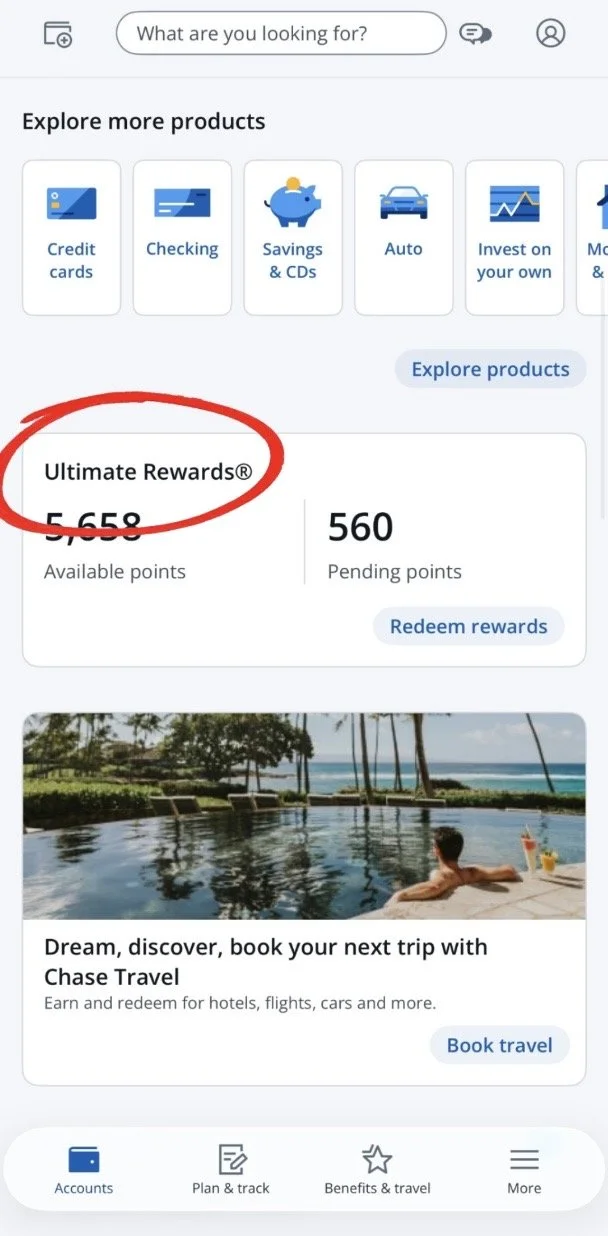
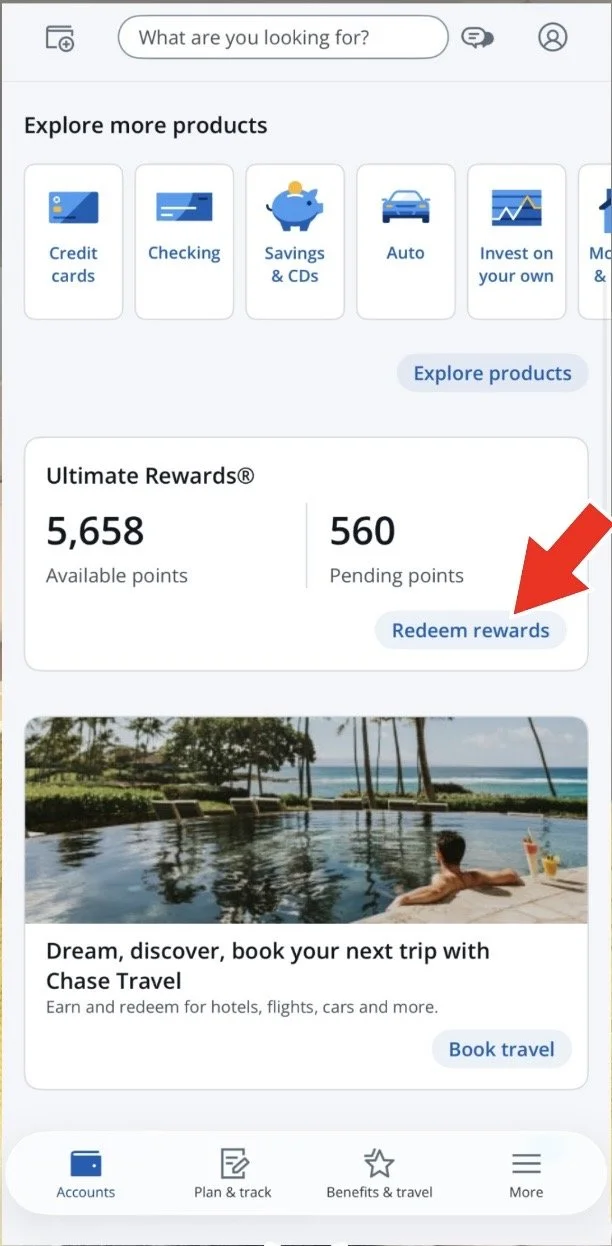
Scroll down to Ultimate Rewards and tap Redeem Rewards.
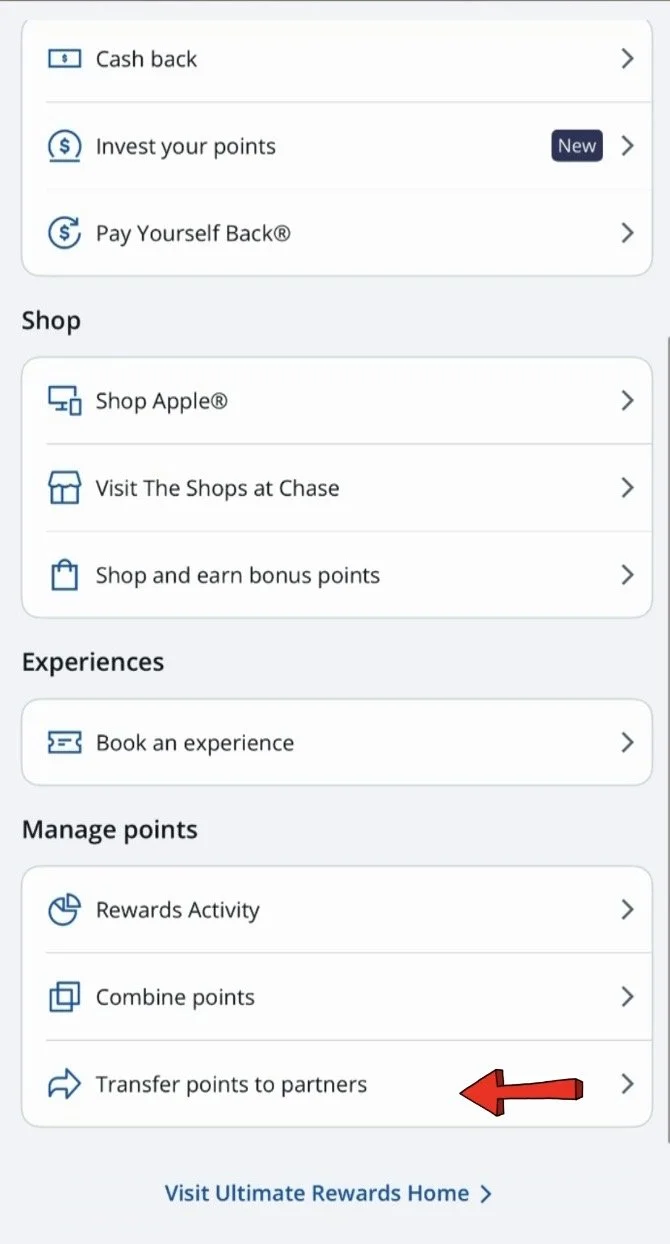
Scroll to the bottom of the rewards page and select Transfer Points to Partners.
You'll now see Chase's available airline and hotel transfer partners!
Using the Chase Website
Sign in to your account at Chase.com.
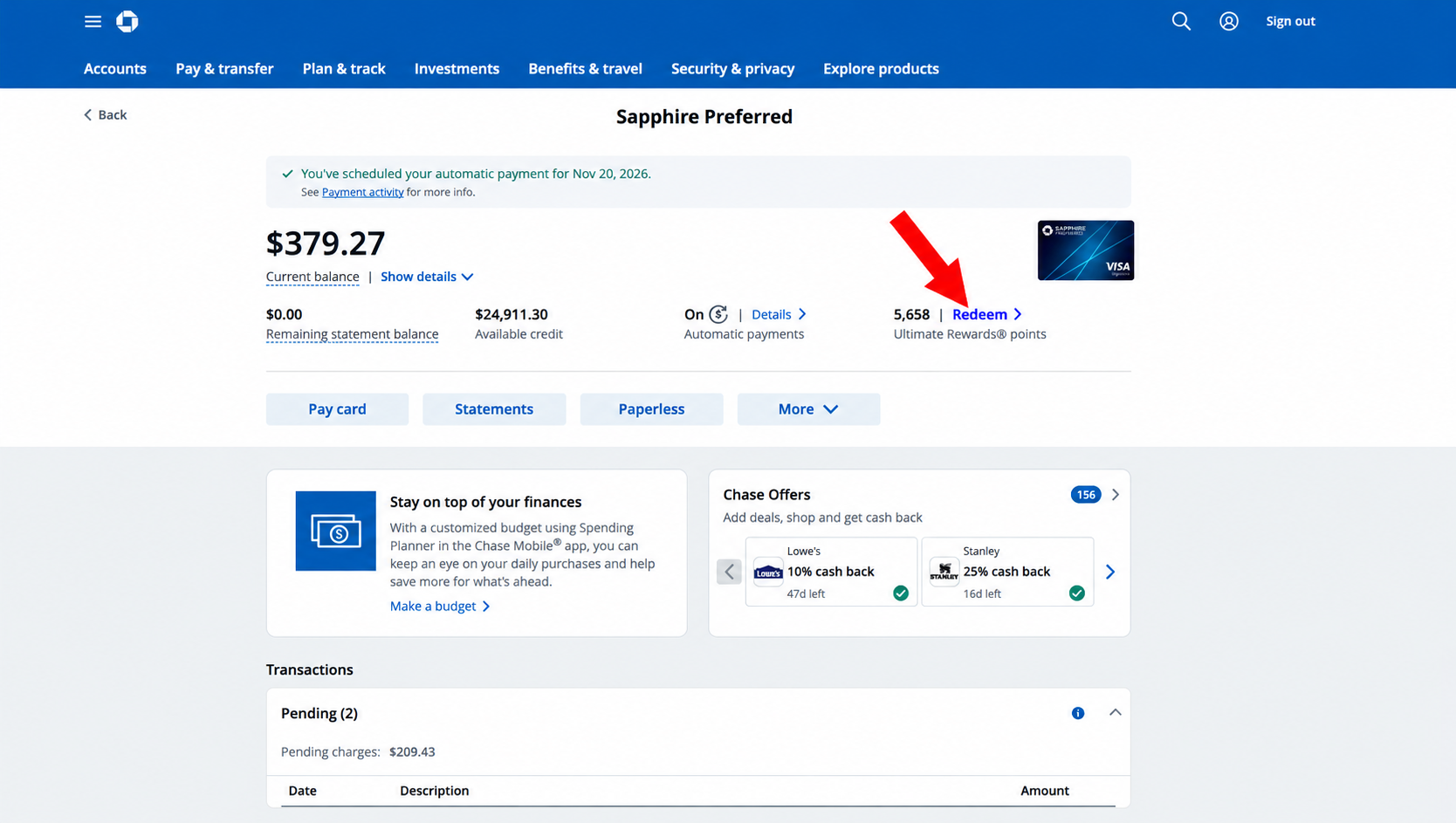
Find your eligible Chase credit card and click Redeem next to your Ultimate Rewards points balance.
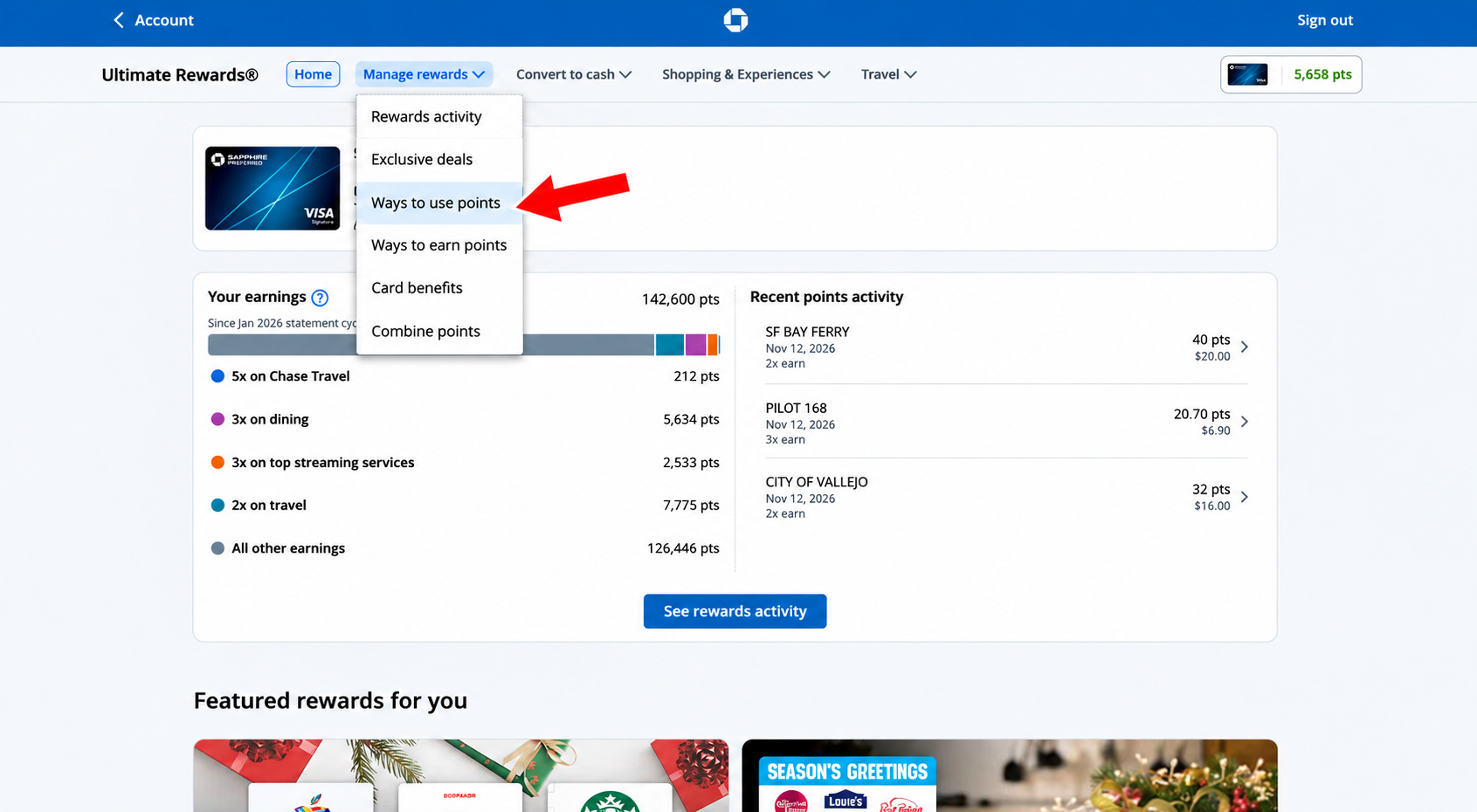
On the Ultimate Rewards page, select Manage rewards from the top dropdown menu.
On the dropdown list, click Ways to use points.
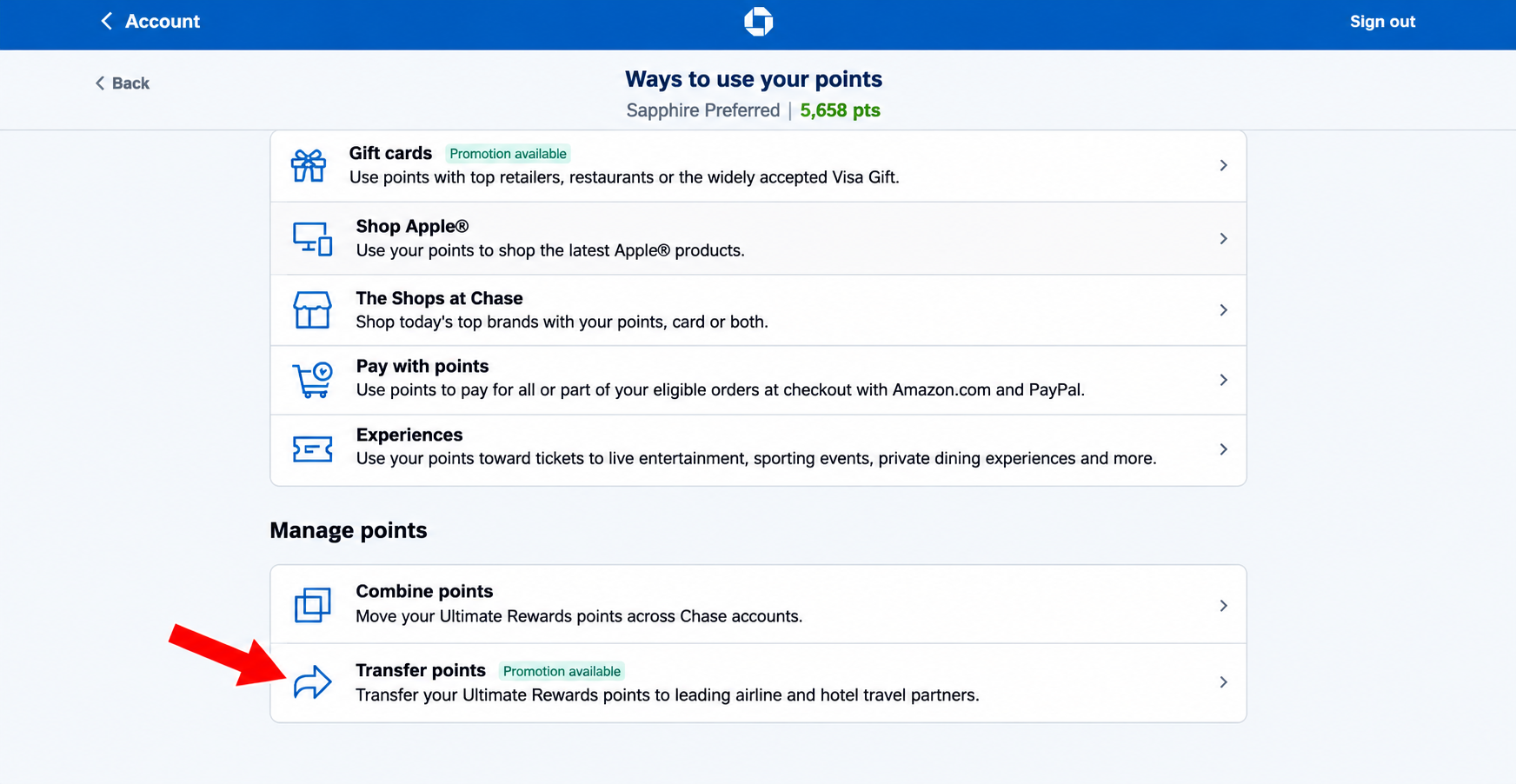
Scroll down to Manage points and select Transfer points.
You'll now be able to explore Chase's airline and hotel transfer partners.
2. Capital One Miles
If you have an eligible Capital One card, like the Venture or Venture X, here's where to find your transfer partners.
Using the Capital One Mobile App
Open your Capital One mobile app and sign in.
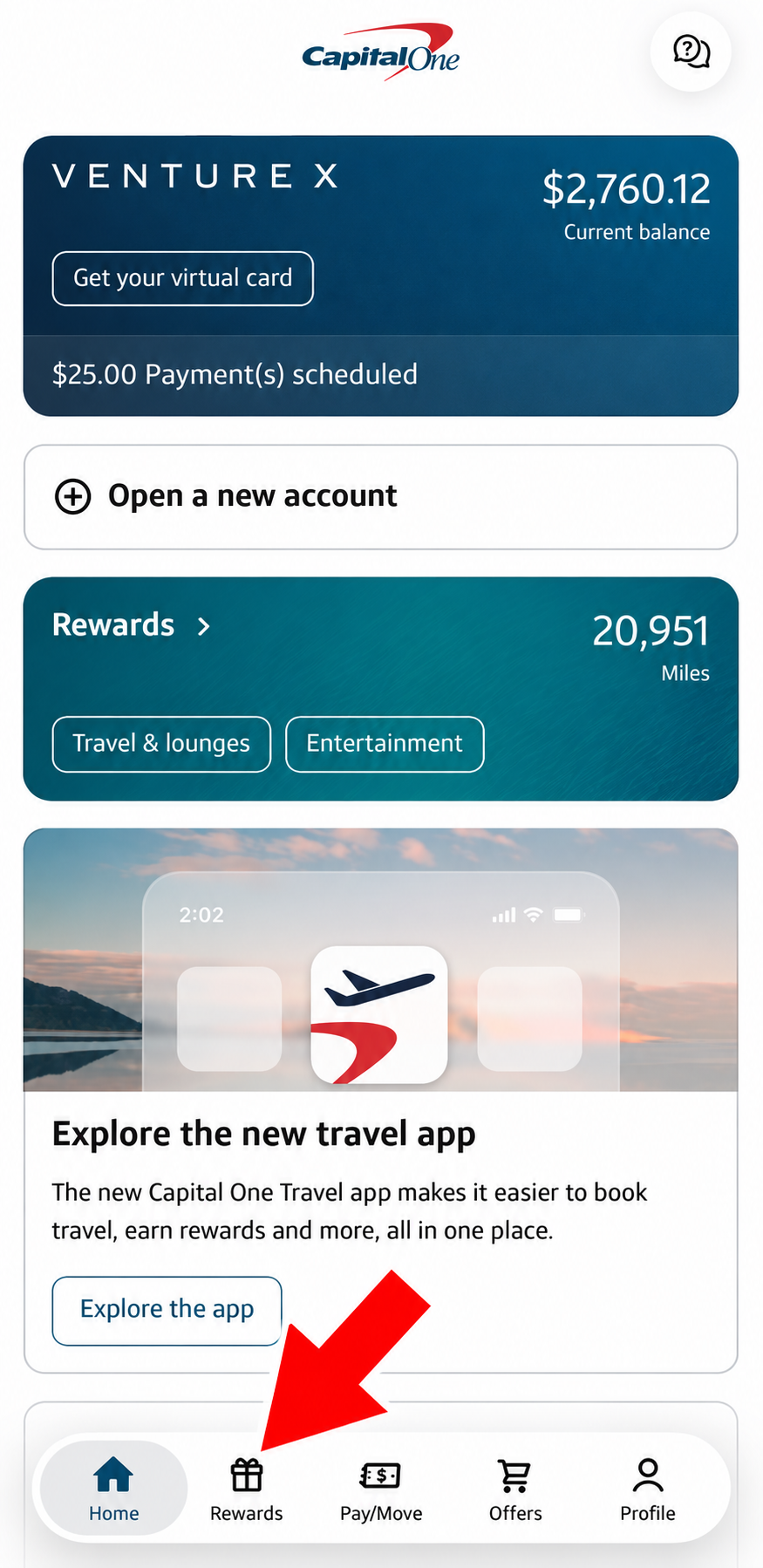
Tap Rewards at the bottom of the screen.
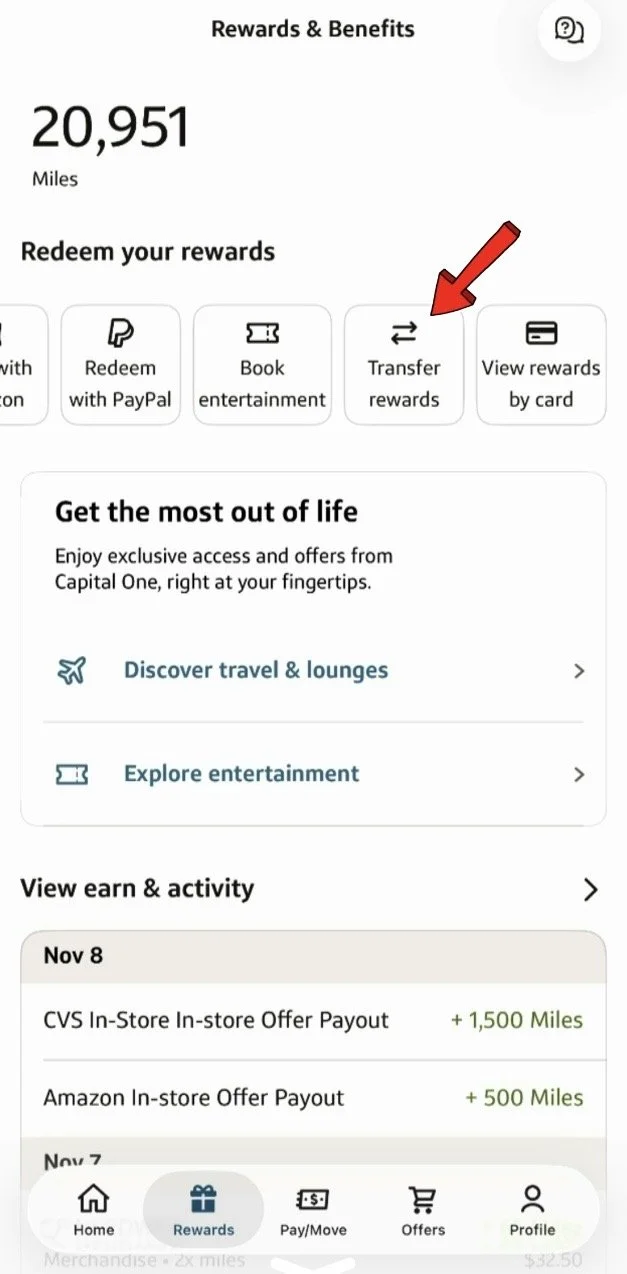
Scroll across the rewards options at the top until you find Transfer Rewards.
Tap Transfer Rewards to see the available airline and hotel loyalty programs.
Using the Capital One Website
Sign in to your account at CapitalOne.com.
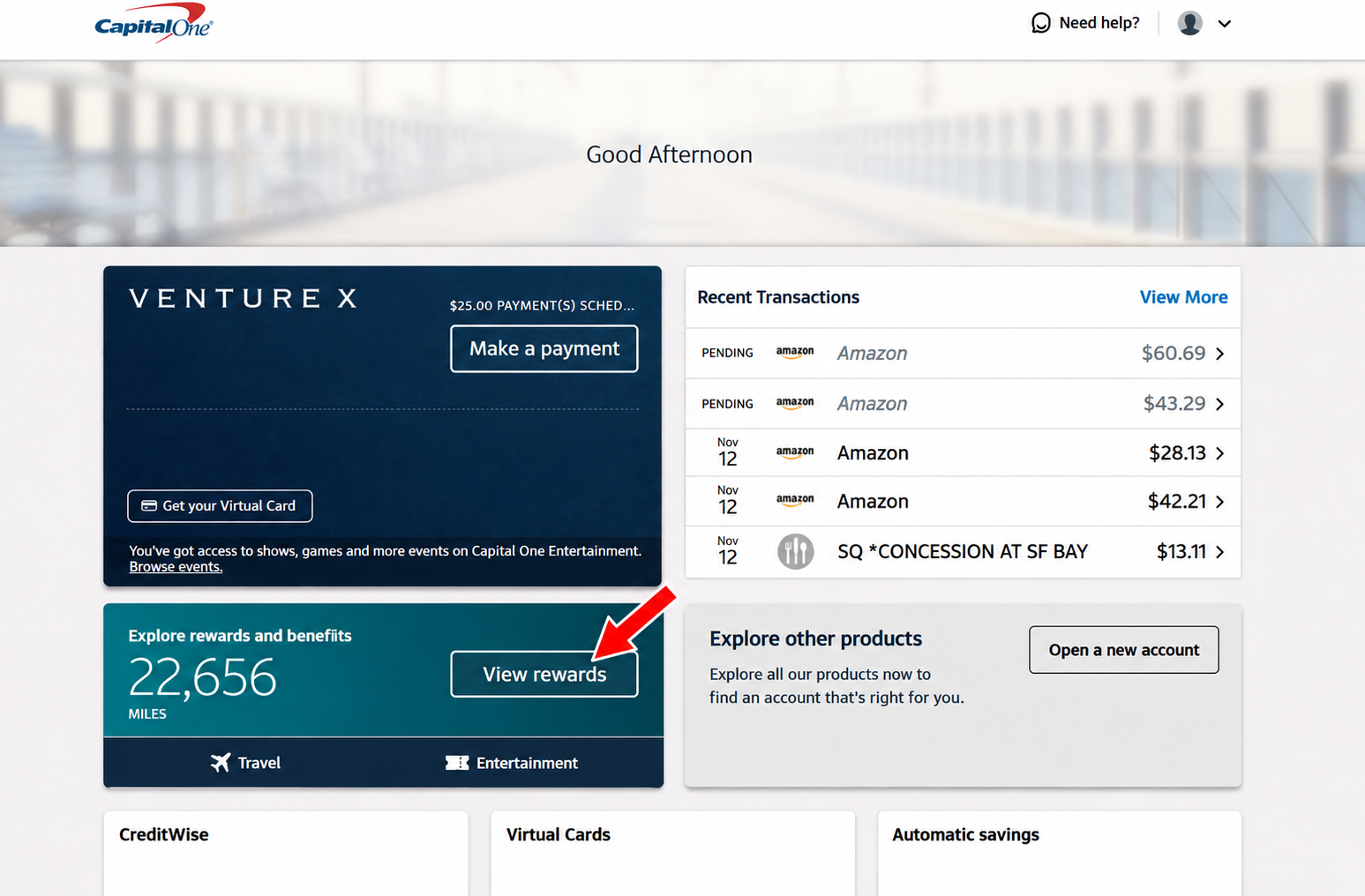
On your account dashboard, click View rewards.
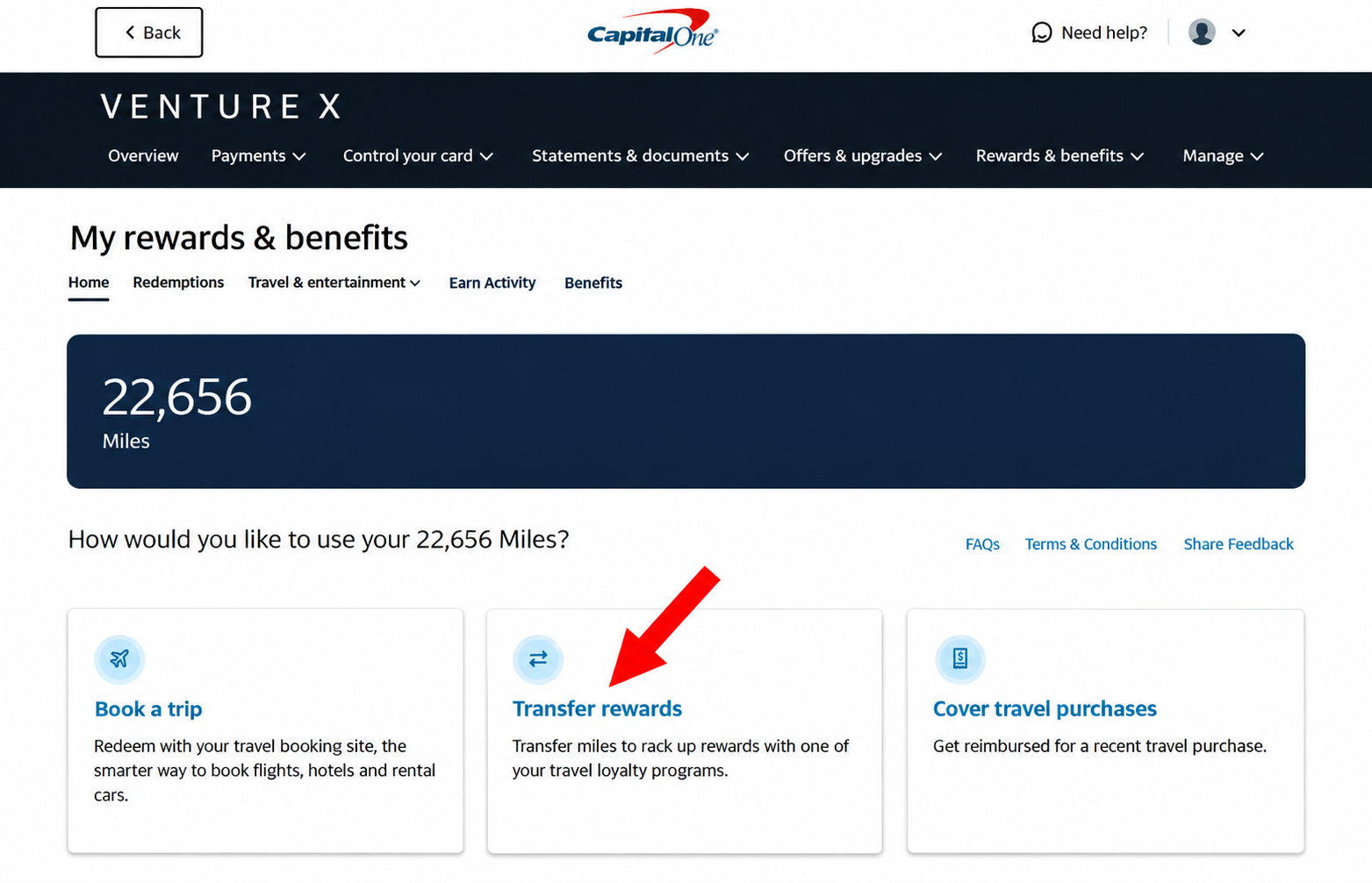
On the rewards page, find and select Transfer rewards.
You'll now see Capital One's available transfer partners.
3. American Express Membership Rewards
If you have an eligible American Express card, like the Amex Gold or Platinum, here's how to find your transfer partners.
Using the American Express Mobile App
Open your American Express mobile app and sign in.
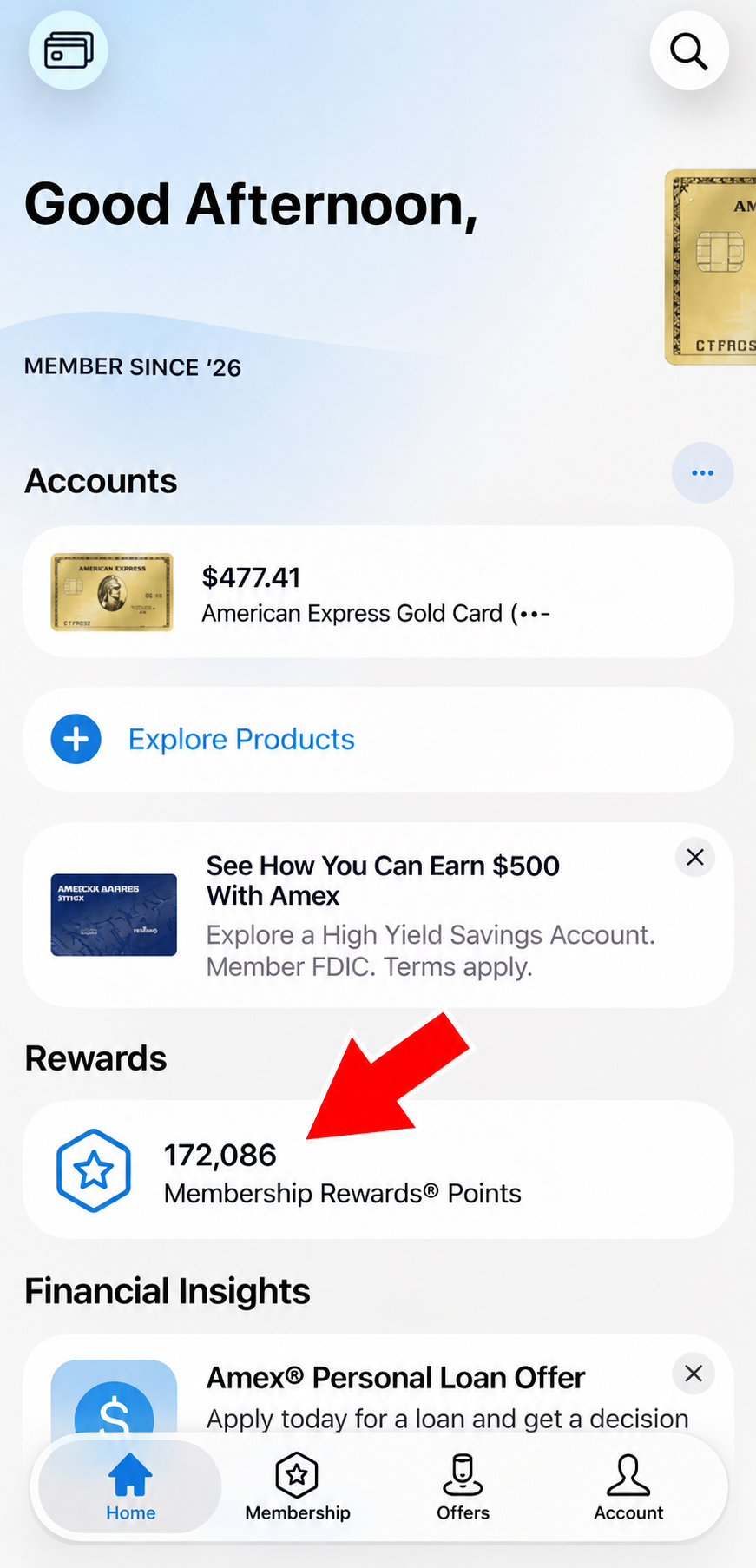
On the home screen, scroll down to Rewards.
Tap your Membership Rewards Points balance.
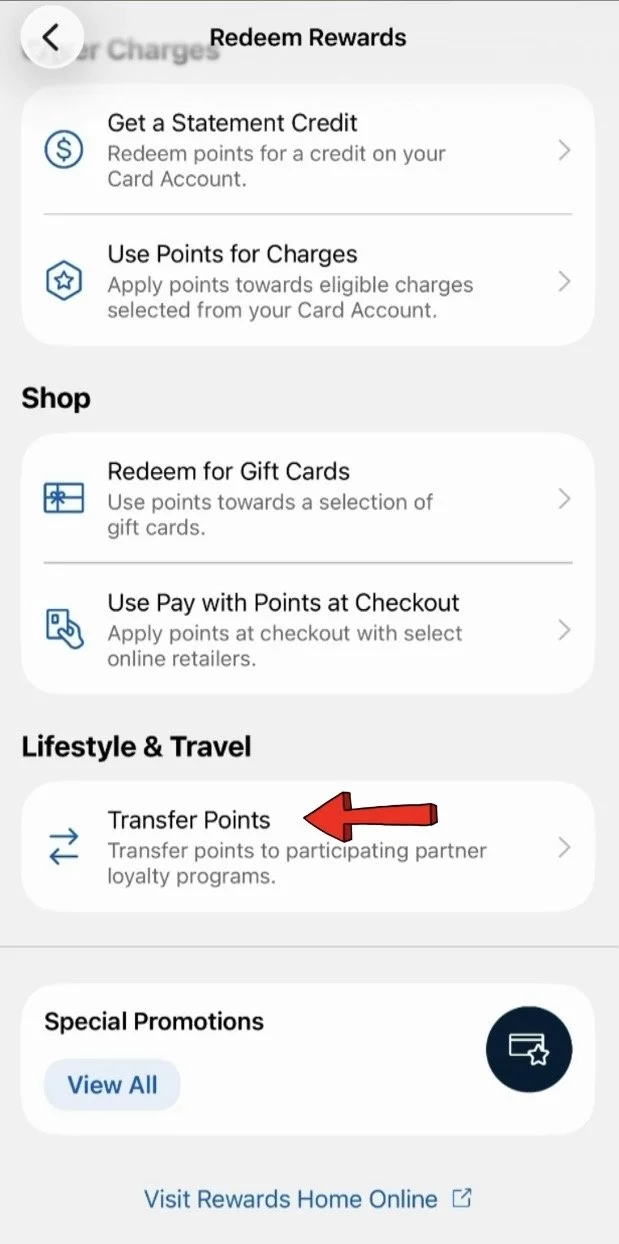
Look for the option to Transfer Points and tap on that.
You'll be taken to the list of American Express transfer partners.
Using the American Express Website
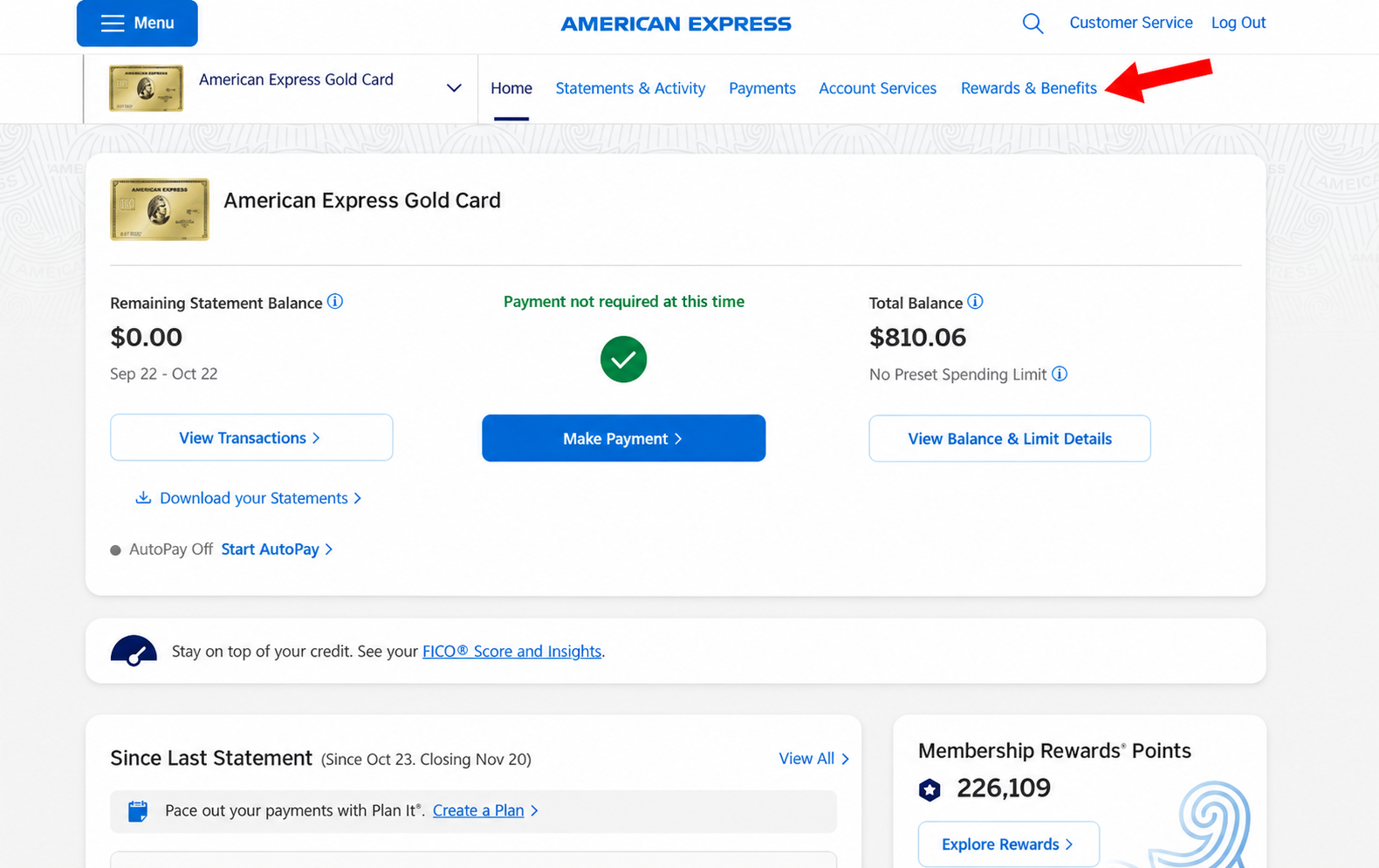
Sign in to your account at AmericanExpress.com.
Select Rewards & Benefits from the top navigation menu.
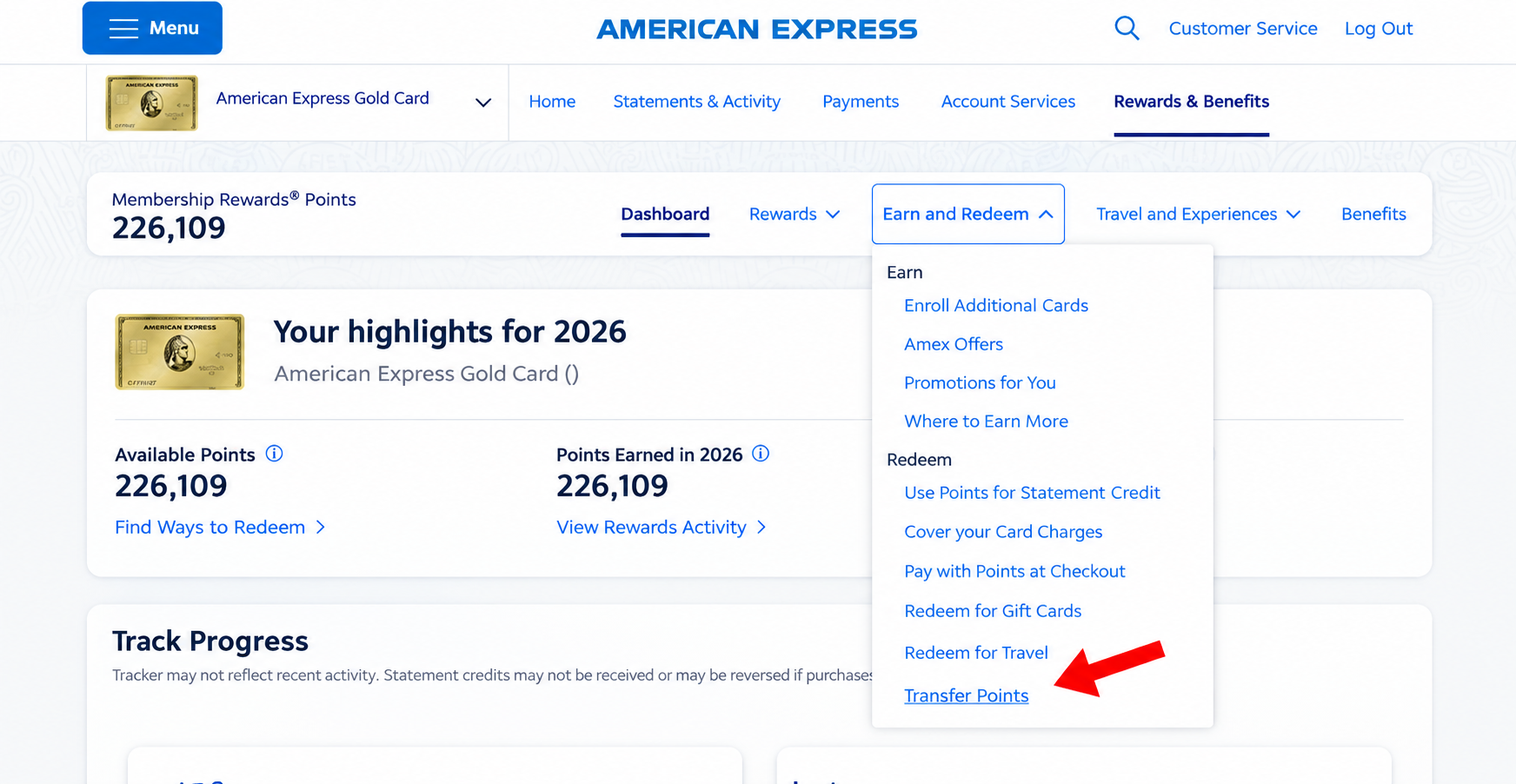
Click Earn and Redeem.
From the dropdown menu, select Transfer Points.
You'll be taken to the section where you can explore American Express transfer partners.
4. Citi ThankYou Rewards
If you have an eligible Citi card, like the Citi Strata Premier or Citi Strata Elite, here's where to find your transfer partners.
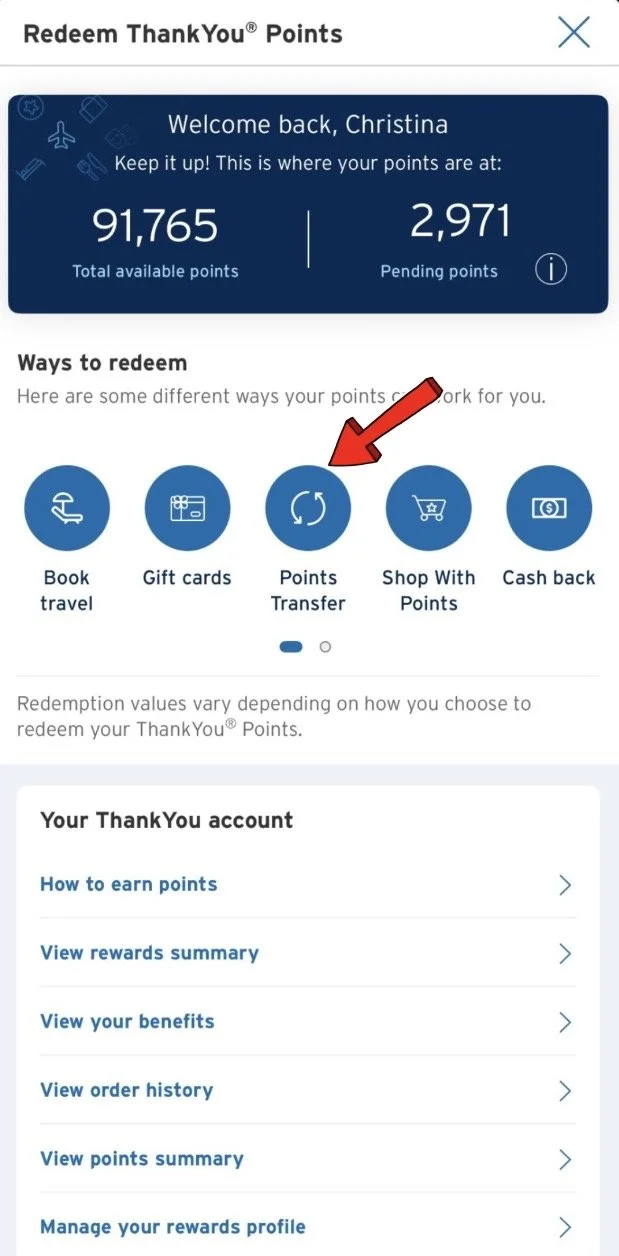
Using the Citi Mobile App
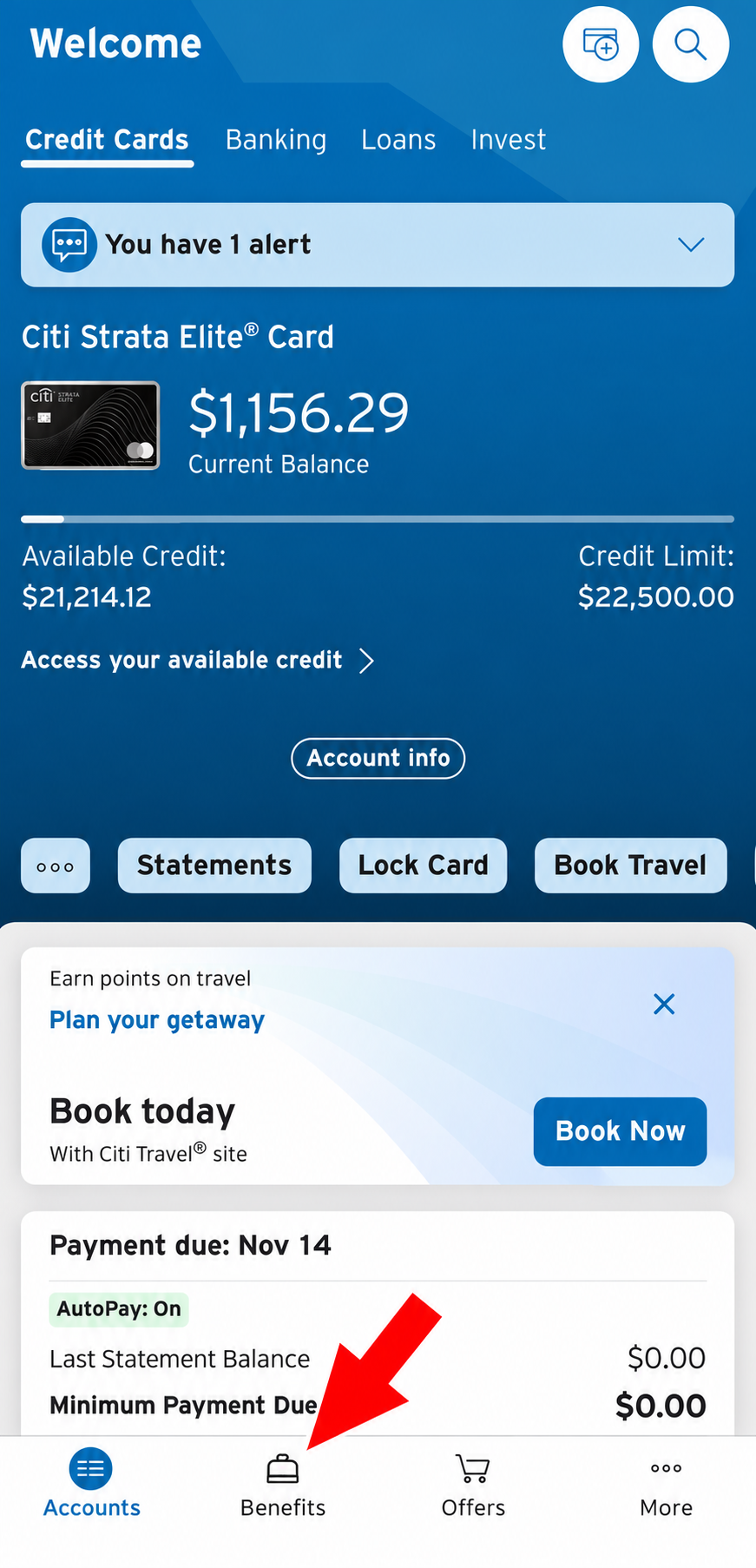
Open your Citi mobile app and sign in.
Tap Benefits at the bottom of the screen.
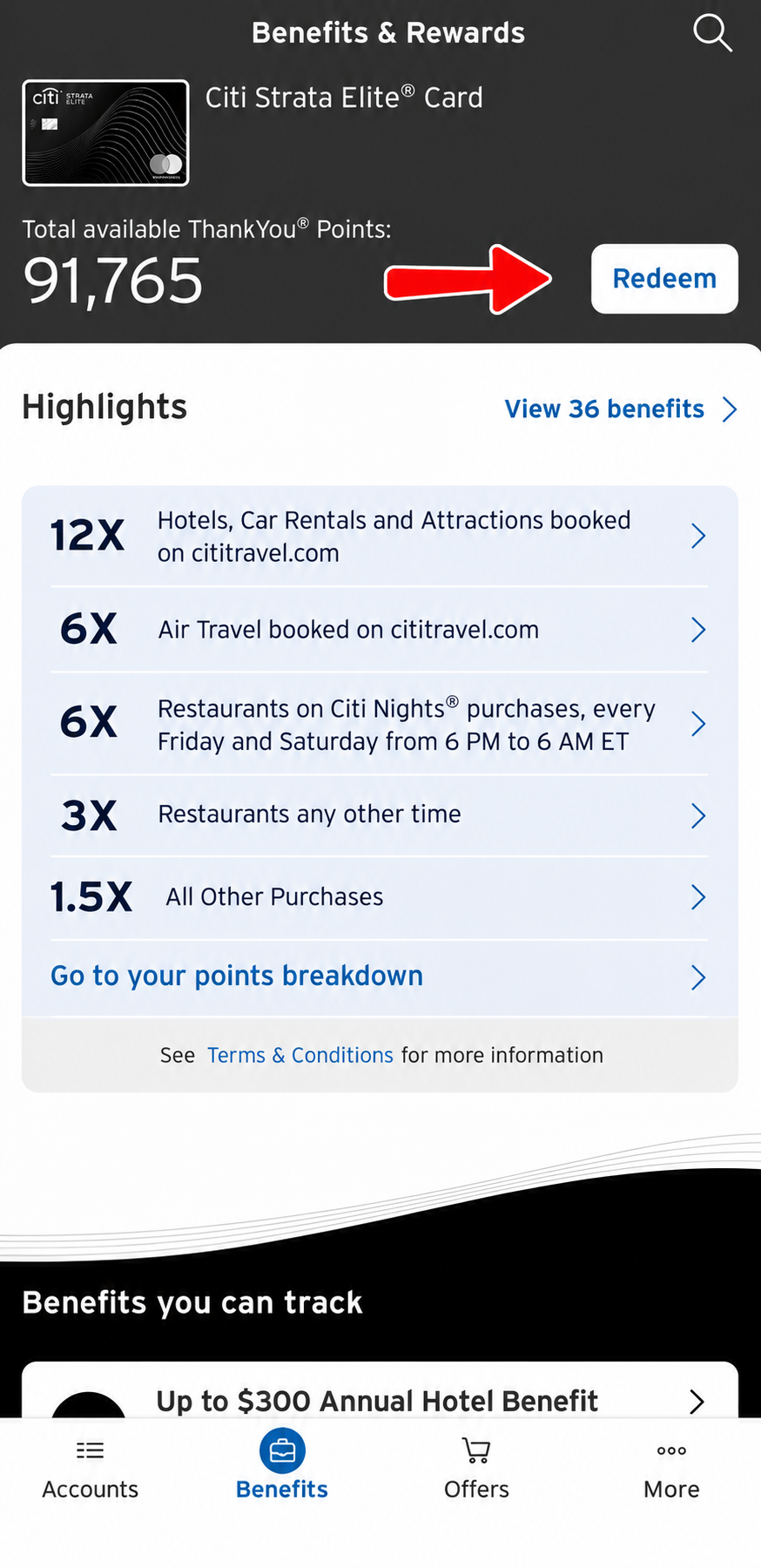
Find your ThankYou Points balance and tap Redeem.
Select Points Transfer to view Citi's available transfer partners.
Using the Citi Website
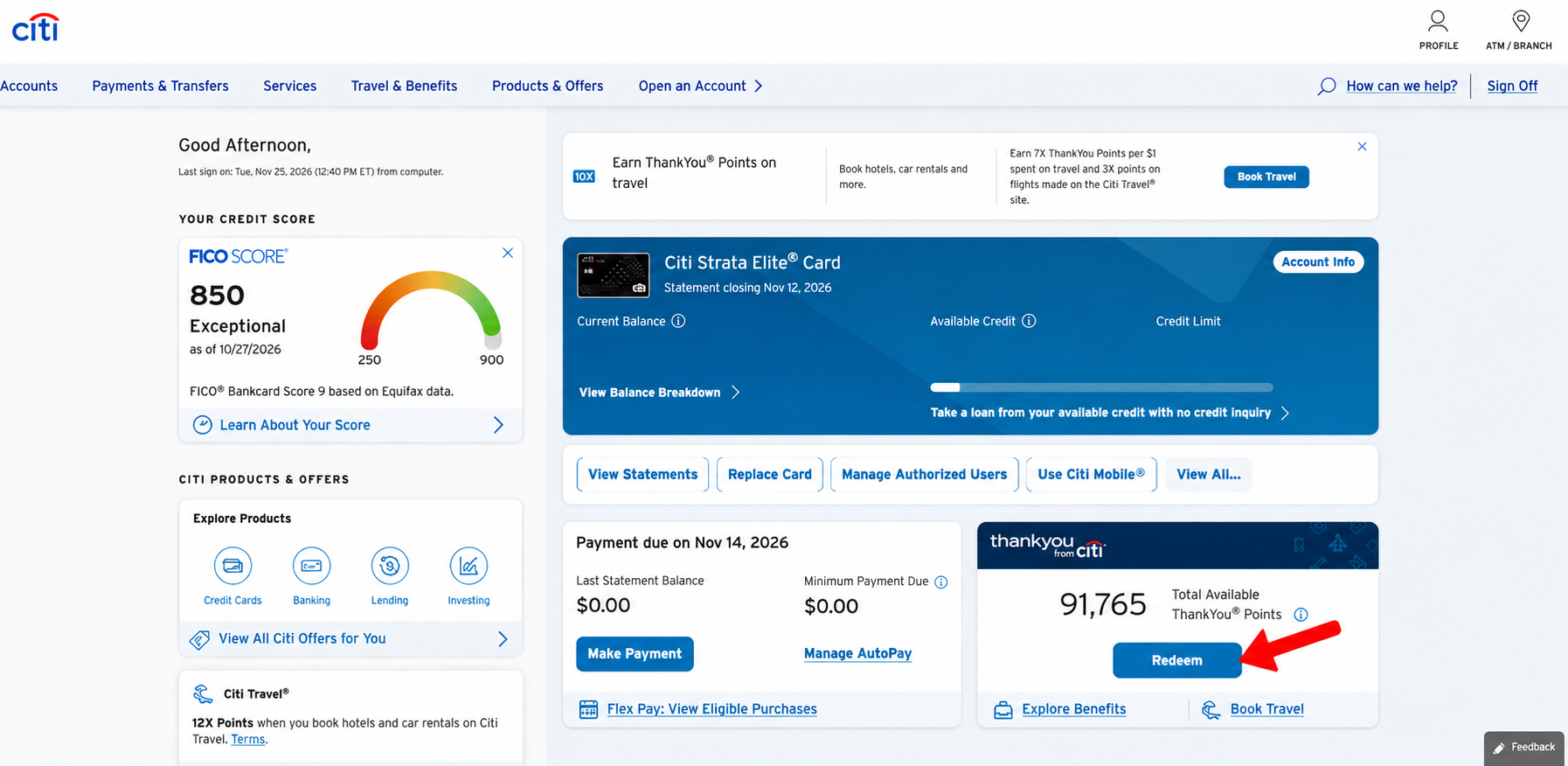
Sign in to your account at Citi.com.
Find your ThankYou Points balance on the account dashboard.
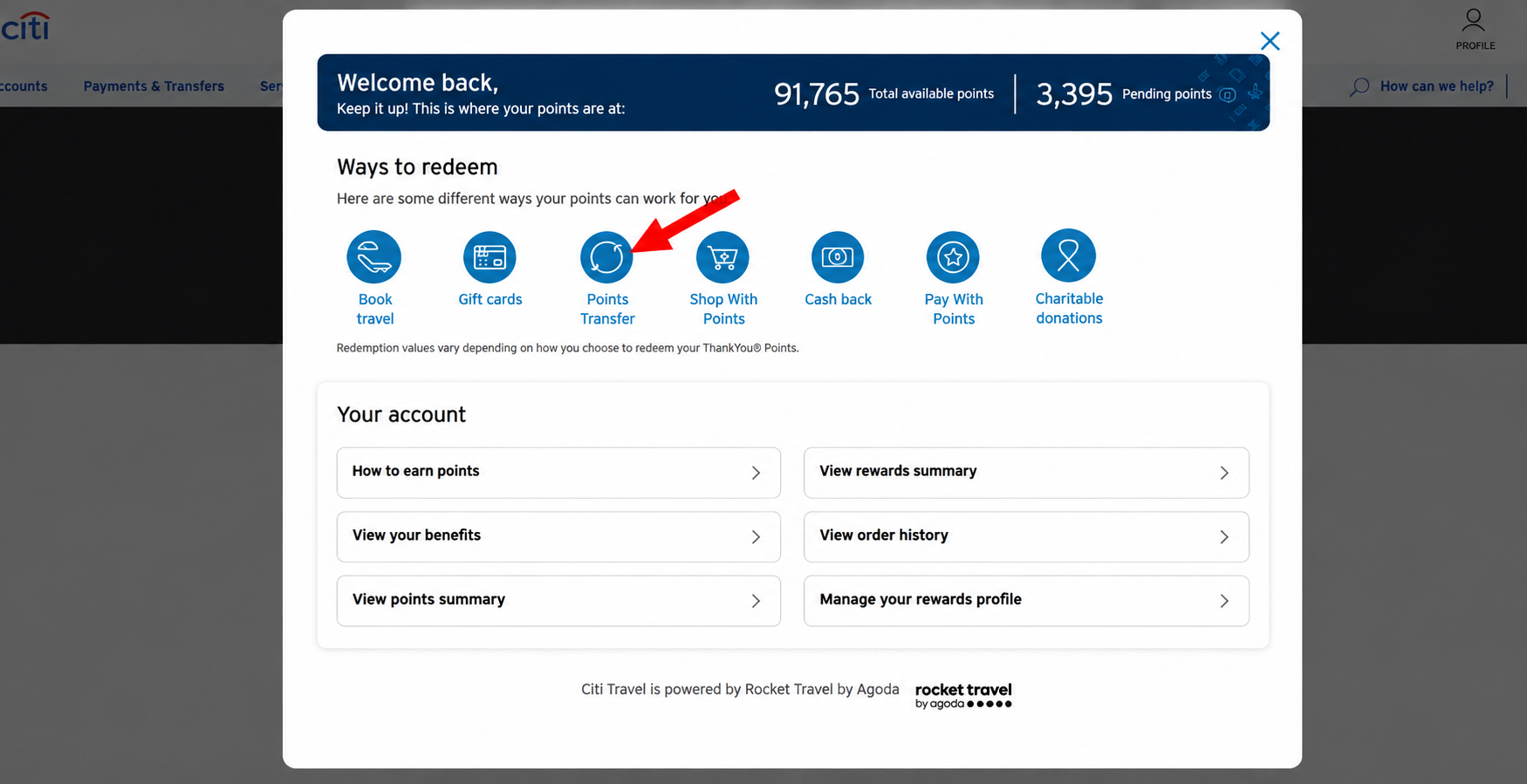
Click Redeem.
On the rewards page, select Points Transfer.
You'll now be able to explore Citi's available airline and hotel transfer partners.
Now That You Know Where to Find Your Transfer Partners, What's Next?
Hopefully, this guide has made finding your credit card transfer partners a whole lot easier!
But knowing WHERE to find them is just the beginning. The next step is figuring out WHEN it actually makes sense to transfer your points!
Travel Portal vs. Transfer Partners: Which Should You Use?
Just because you CAN transfer your points doesn't mean you always SHOULD!
Transferring your points to an airline or hotel partner is often the better options, BUT, sometimes booking through your credit card's travel portal makes more sense!
I break down the differences, pros and cons, and when to use each option, in my other blog post.
👉 Booking with Points 101: Travel Portal vs. Transfer Partners
New to Points & Miles? Start Here!
If you're still figuring out how credit card points work, I've got you covered!
I created a FREE Beginner's Guide to Points & Miles to help you understand the basics of earning and using points so you can start turning your everyday spending into nearly free flights and hotel stays.
Want More Points & Miles Tips Delivered to Your Inbox?
If you love finding ways to travel more without spending a fortune, make sure you're signed up for my newsletter!
I share practical points and miles tips, current transfer bonuses, travel deals, and strategies to help you get more travel out of your everyday spending.
🧡Happy travels!
Point Savvy Traveler | Travel Better for Less
